Prepared. Protected. Connected.
VitaLink™ Agent Quick Start
Learn how agents use VitaLink to improve client retention, stay connected year-round, simplify emergency preparedness, and create stronger household relationships.
1. Create Your Agent Account
Start by creating your VitaLink Agent account. Once active, you’ll gain access to your client dashboard, invite system, notifications, reporting tools, and agency management tools.
🔐 Secure Agent Access
Your account gives you visibility into your connected clients while keeping all information secure and permission-based.
📊 Client Dashboard
View activations, connected clients, smart seasonal notifications, and retention-focused tools from one central dashboard.
2. Invite Your Clients
Invite clients directly into VitaLink and help them activate their secure profile. Clients stay connected to you year-round instead of only hearing from you during enrollment periods.
📩 Send Invitations
Invite clients directly by email through the VitaLink Agent Dashboard.
Clients simply:
• Download VitaLink from the App Store or Google Play
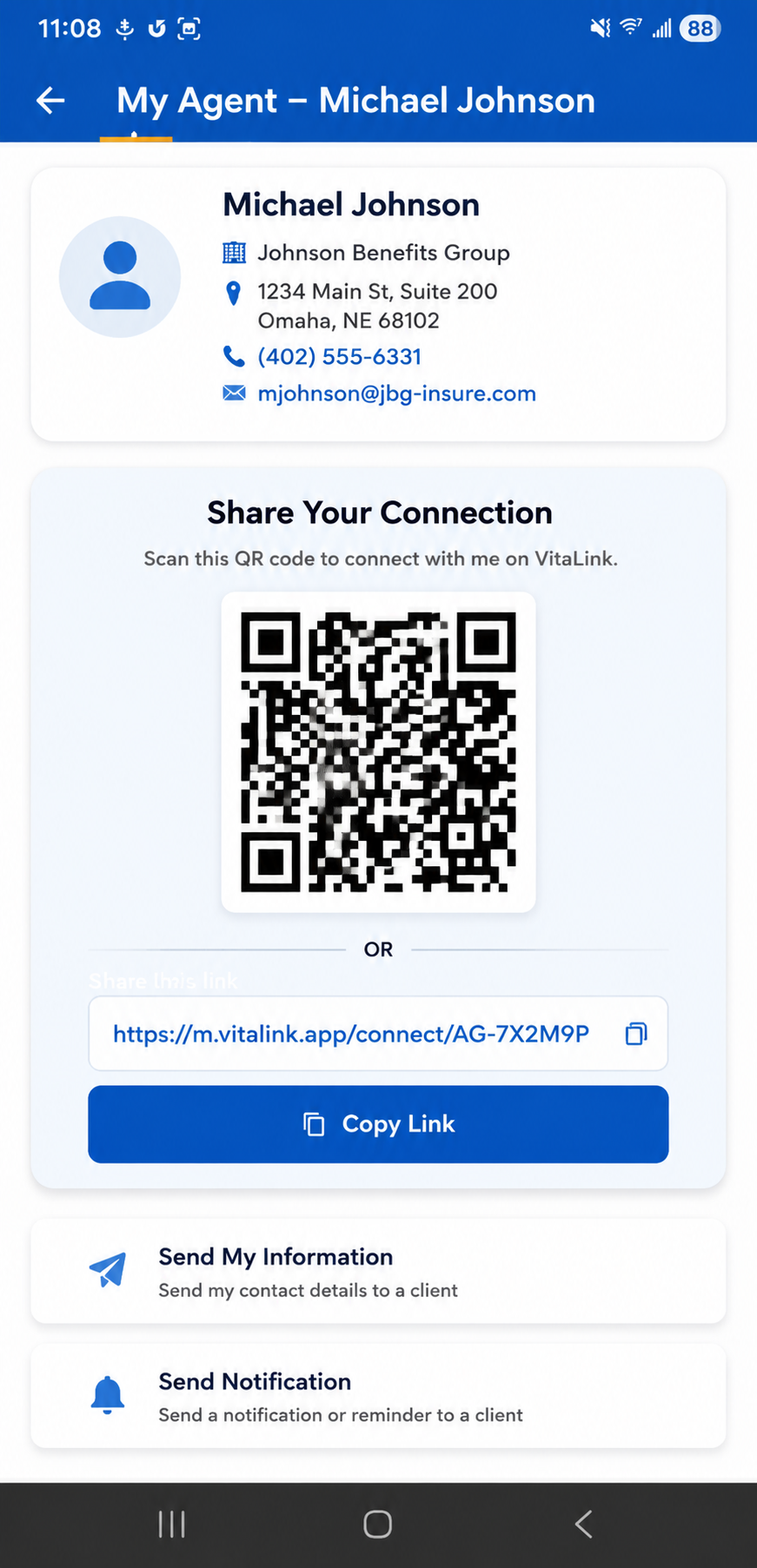
• Enter your unique Agent Code during setup
OR
• Scan your personal Agent QR code for quick connection
Once activated, the client becomes connected to your VitaLink dashboard automatically.
🤝 Stay Connected
Your information remains connected to the client profile, helping improve retention and long-term visibility.
3. What Clients Store Inside VitaLink
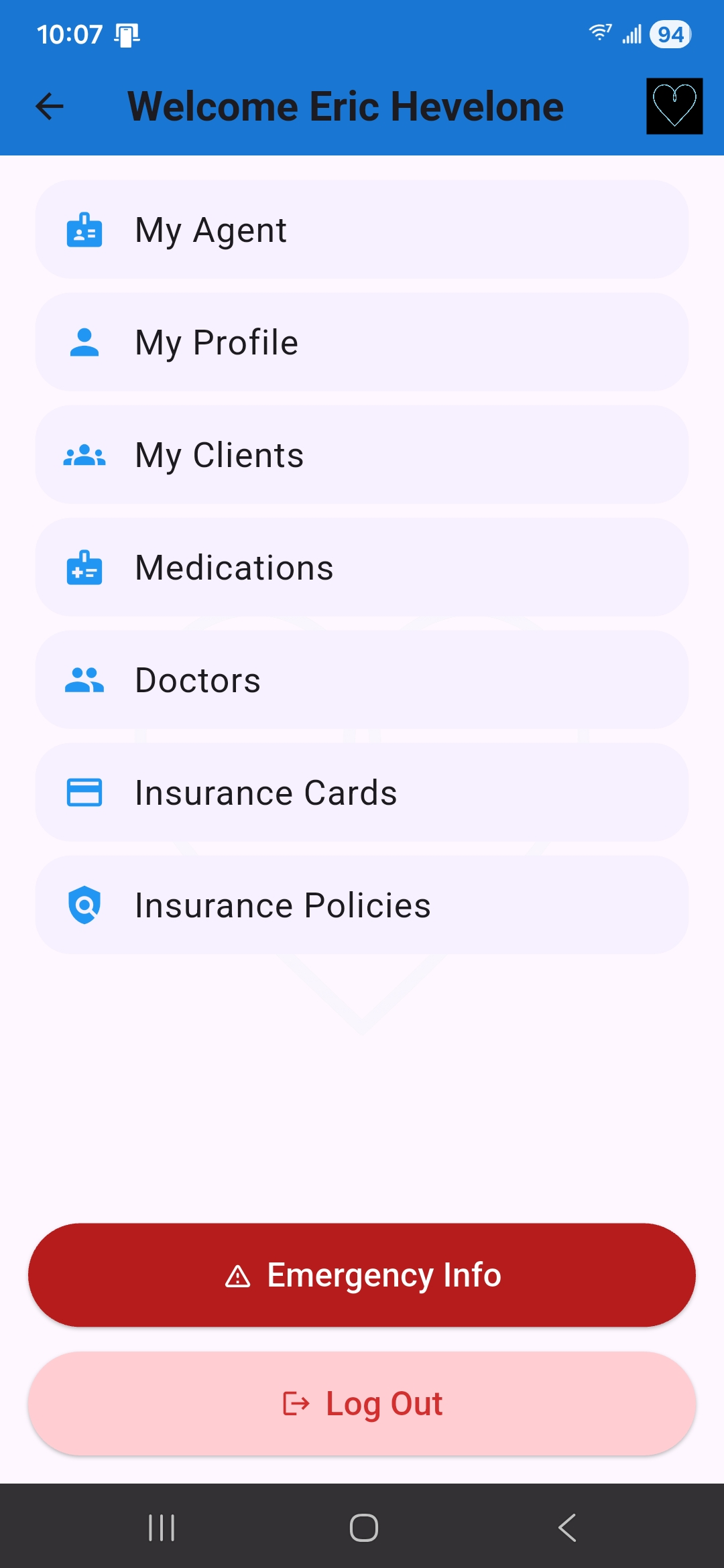
Clients can securely organize their important health and insurance information in one place — making it accessible when it matters most.
💊 Medications
Maintain an updated list of prescriptions and medications for emergency access and household organization.
🩺 Doctors & Care Teams
Store doctors, specialists, clinics, and care providers for fast access during emergencies or appointments.
🛡 Insurance Cards
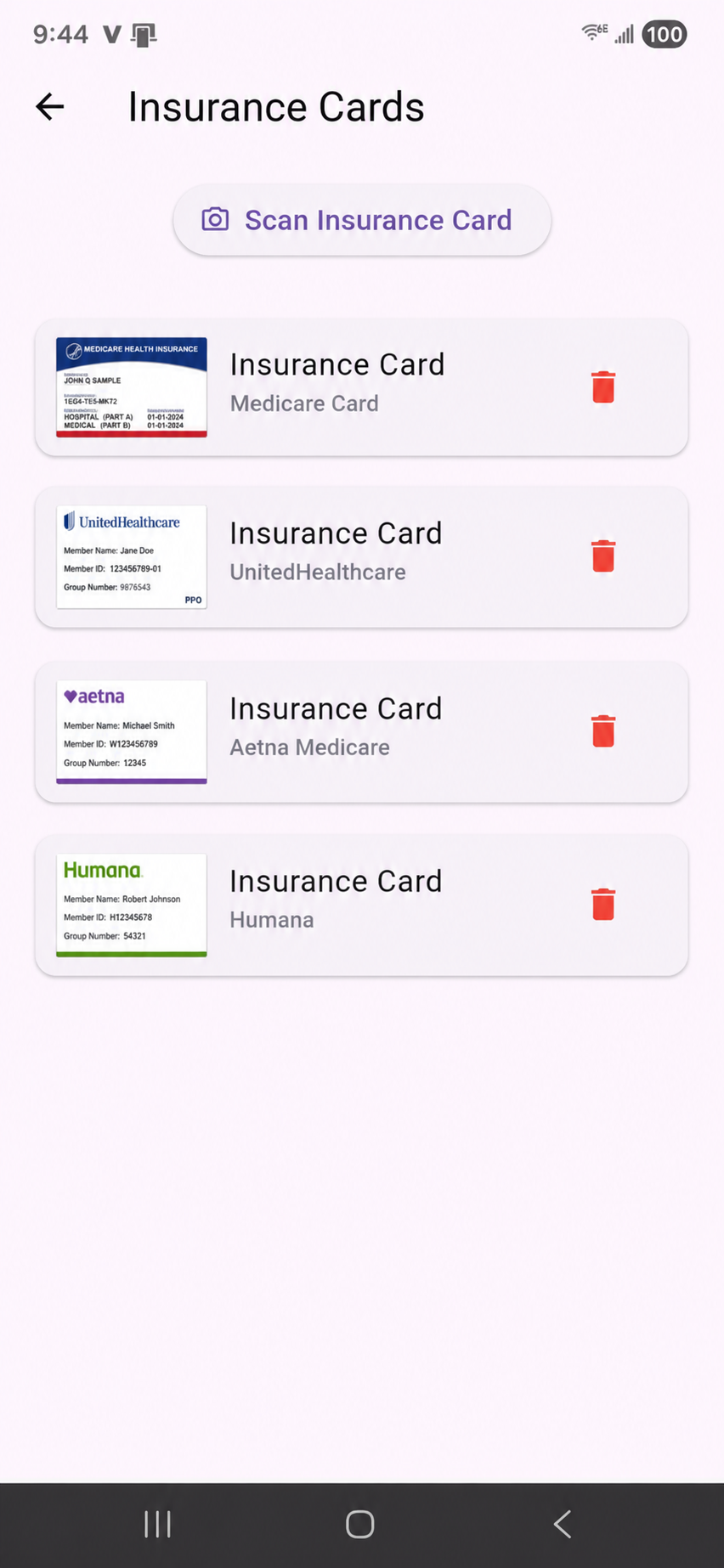
Store Medicare Advantage, Supplement, PDP, dental, vision, and ancillary insurance cards securely.
📄 Insurance Policies
Keep policy information organized and accessible throughout the year.
📞 Emergency Contacts
Emergency contacts can be reached quickly when a major health event occurs.
🔳 Secure QR Access
Each VitaLink profile includes a secure QR system designed for emergency situations.
4. Emergency QR Access
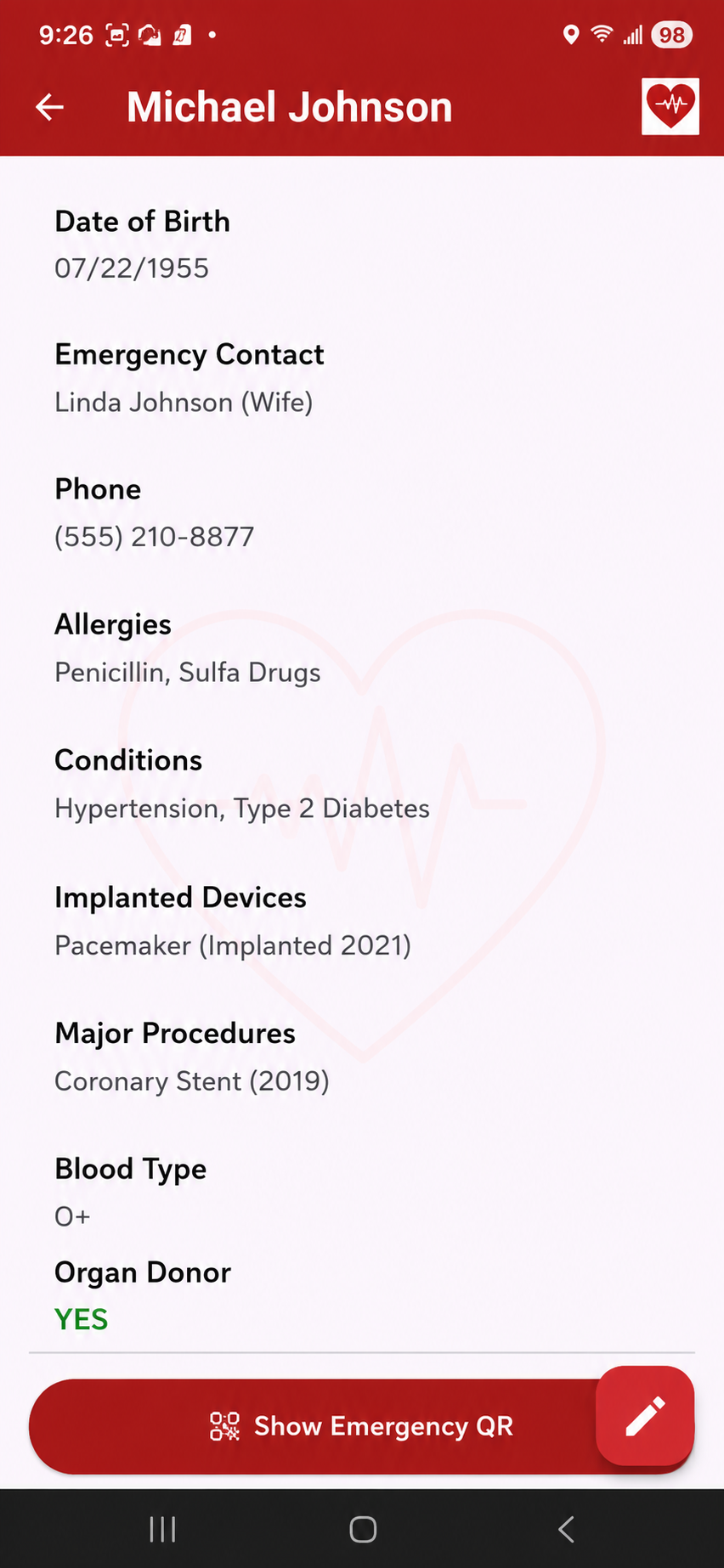
If an emergency happens, first responders or family members can scan the VitaLink QR code to access critical emergency information quickly and securely.
🚑 Faster Access To Information
Medications, conditions, emergency contacts, and insurance details can be accessed immediately when every second matters.
📲 Family Notifications
Emergency contacts receive alerts and access details during critical situations.
5. Why VitaLink Helps Agent Retention
VitaLink helps keep you visible to clients and their families throughout the year — not just during AEP.
🏠 Household Visibility
The more relationships you build within the household, the harder it becomes for another agent to replace you.
📣 Referral Opportunities
Family members and emergency contacts are naturally introduced to you during meaningful moments.
📅 Year-Round Connection
Maintain relevance outside enrollment season through ongoing engagement and visibility.
6. Smart Seasonal Notifications
VitaLink includes smart seasonal notifications designed to help agents stay connected with clients during important enrollment periods throughout the year.
🔔 Smart Notifications
Receive important updates tied to enrollment periods, client activity, and important seasonal client touchpoints.
📬 Client Follow-Up
Create additional touchpoints beyond policy enrollment and annual reviews.
7. Inside The Agent Dashboard
The VitaLink Agent Dashboard gives you one place to manage connected clients, send seasonal notifications, and maintain year-round visibility with your book of business.
👥 Client Management
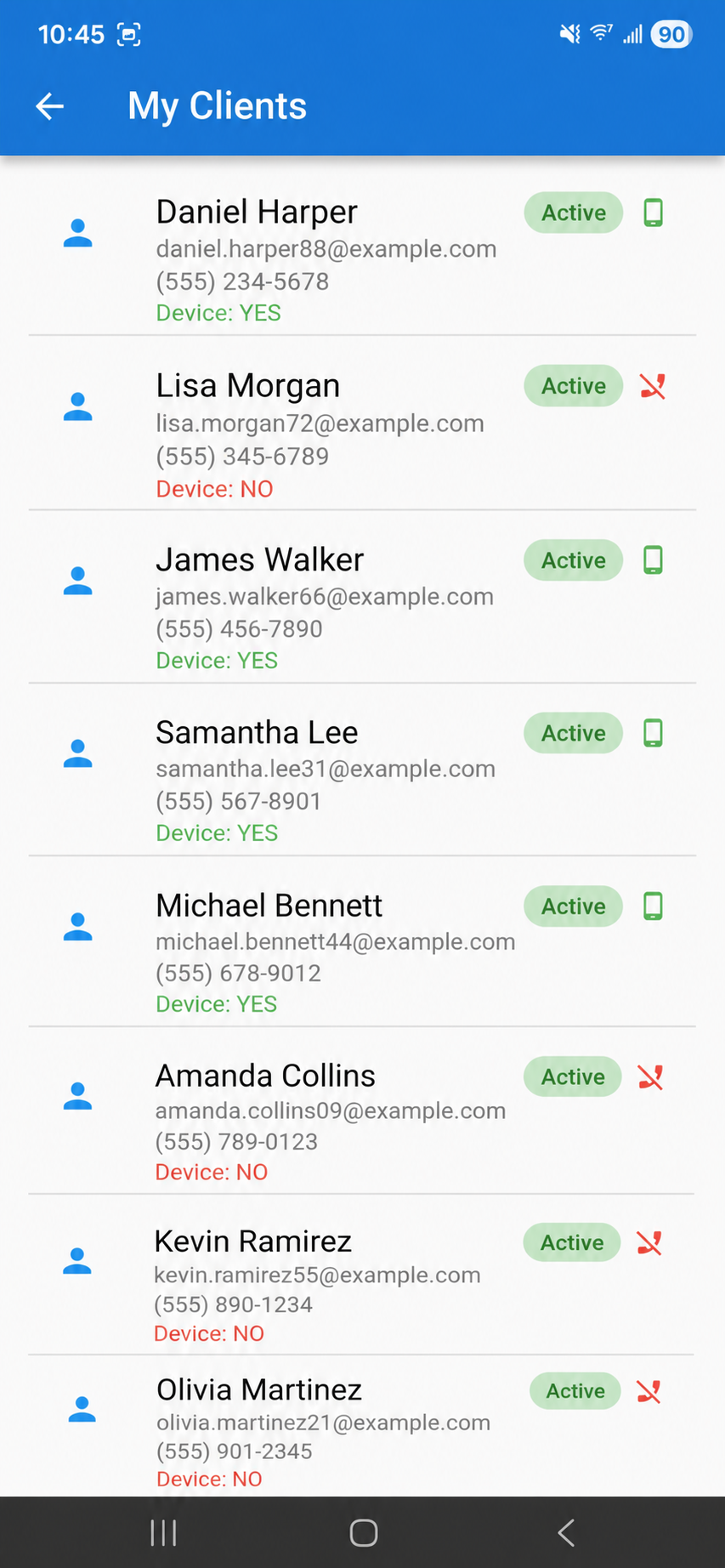
View connected clients, profile activity, and account status from a centralized dashboard.
📱 Connected Client Profiles
View Connected clients in the app, and manage connected VitaLink client profiles directly from your agent dashboard.
🔔 Seasonal Notifications
Send preloaded seasonal notifications during important enrollment periods throughout the year.
📈 Retention Visibility
Maintain ongoing visibility with clients and households beyond annual enrollment periods.
8. How Agents Use VitaLink In Real Life
VitaLink is designed to fit naturally into the Medicare enrollment and client support process.
📝 During New Enrollments
Set clients up with VitaLink before they leave the appointment to immediately establish long-term connection and visibility.
📅 Annual Reviews
Review medications, doctors, insurance cards, and emergency contacts during yearly policy reviews.
🚑 Emergency Preparedness
Help clients and families feel prepared by organizing critical information before emergencies happen.
👨👩👧 Household Referrals
Family members often become familiar with VitaLink during important moments, helping create natural referral opportunities.
9. Agent Best Practices
Simple habits can help agents get the most value out of VitaLink while improving client experience and retention.
✅ Set Up Clients Immediately
The best time to activate VitaLink is during or immediately after the enrollment appointment.
💊 Encourage Medication Updates
Keeping medications current improves the value of VitaLink during emergencies and medical visits.
📞 Add Emergency Contacts
Encourage clients to include trusted family members and emergency contacts inside their profile.
🔄 Review Information Annually
Annual reviews create natural opportunities to update information and strengthen client relationships.
10. What Makes VitaLink Different
VitaLink combines emergency preparedness, insurance organization, and client retention into one connected platform designed specifically for long-term client relationships.
🛡 More Than Insurance
VitaLink helps organize critical health and emergency information — not just insurance policies.
🔳 More Than A QR Code
The VitaLink system combines secure emergency access with organized client information and household visibility.
🤝 Built For Long-Term Retention
VitaLink helps agents remain connected and visible long after enrollment is complete.
🏠 Household Relationship Focus
VitaLink helps agents strengthen relationships throughout the household — not just with a single policyholder.
Inside VitaLink
VitaLink helps clients organize emergency information, insurance details, medications, doctors, and important contacts — while helping agents stay connected year-round.
Frequently Asked Questions
Does the client pay for VitaLink?
Yes! Agents can choose to provide VitaLink to clients directly as part of their service experience.
Can agencies manage multiple agents?
Yes! VitaLink includes agency management and administrative visibility tools.
Is client information secure?
Yes! VitaLink uses secure systems designed to protect sensitive client information and emergency access workflows.
Can VitaLink work outside Medicare?
Yes. VitaLink can help organize health and insurance information for a wide range of individuals and families.
How do clients connect to my account?
Clients connect to your VitaLink account by entering your unique Agent Code during setup or by scanning your personal Agent QR code.
Will clients still see my information after enrollment?
Yes. VitaLink is designed to help agents stay visible year-round by keeping agent information connected to the client profile after activation.
Start Using VitaLink With Your Clients
Help your clients stay prepared while strengthening long-term retention and household relationships.
Start Agent AccessScreenshots shown throughout this page may contain simulated names, contact information, and sample data for demonstration purposes only.